TikTok LIVE games for streamers
TikTok LIVE games are interactive games your viewers steer in real time with gifts, likes, follows and comments: someone sends a Rose and your character gets a shield; someone sends a Galaxy and you're sent back. Viewers stay, streams run longer and gifts add up. All 37 games on MayaPlay are made in-house by Maya Studio, with in-game text in Turkish; they work with TikTok LIVE Studio or OBS, are TikFinity compatible and open in one click. Pick the one that fits your stream from parkour and climbing, races, horror, quiz shows and party games played through chat; game pages include a trailer, a how-to-play guide and a gift table.
Gift-controlled games
Every gift your viewers send changes the game instantly: helpful gifts carry you up, troll gifts make it harder.
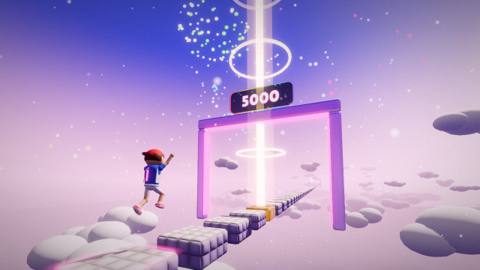 Mega Parkour10,000 identical blocks, one dead-straight path. Gifts teleport you 50, 500 or 1000 blocks forward; troll gifts send…
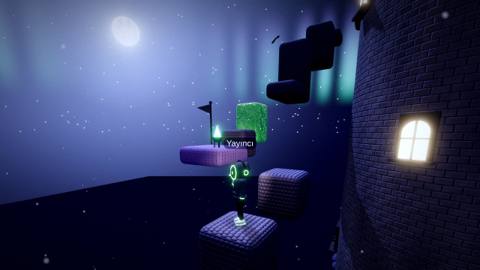 House of HorrorsEscape up the 200-meter tower of a cursed mansion by flashlight. Viewers kill the lights, send bat swarms and a…
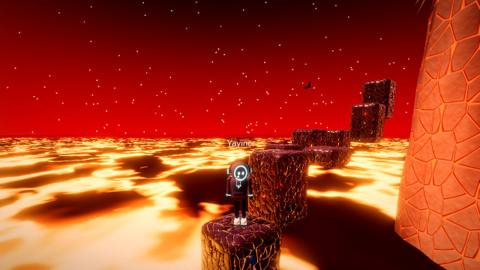 Lava RisingClimb a volcano's 150-meter chimney as lava rises beneath you. Viewers cool the lava with water buckets and hand out…
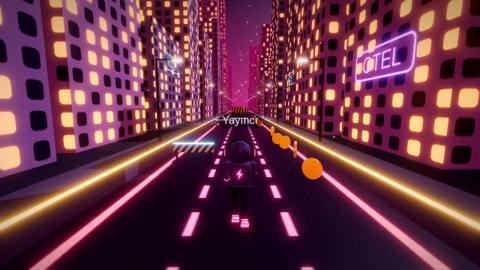 Endless RunA three-lane endless runner through a neon city. Switch lanes, jump, slide. Viewers send obstacles, walls and trains…
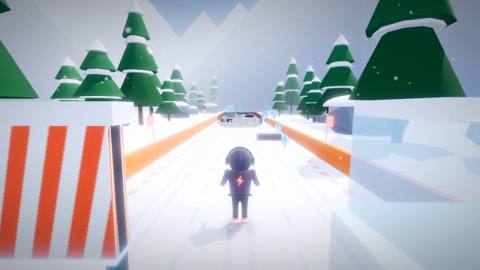 Ski RushSki down a snowy mountain on a three-lane slope. Switch lanes, jump, duck. Viewers send snowmen, ice walls and sled…
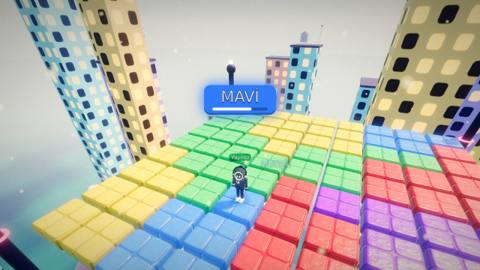 Color HuntAn arena of multicolored tiles: a color appears on screen, so run to it before time runs out, or the tile under your…
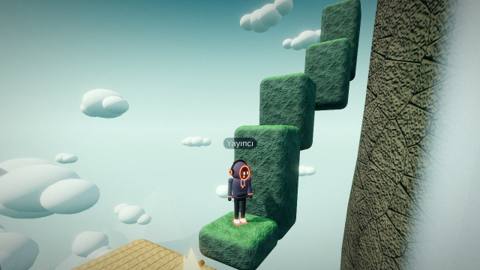 Climb!Jump between rocks spiraling around a giant mountain, grab the ledges and climb to the summit. Viewers send storms…
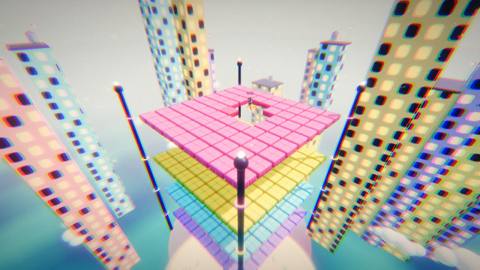 Crumbling FloorA four-level tile arena in the sky: every tile you step on shakes and collapses. Keep moving and don't fall off the…
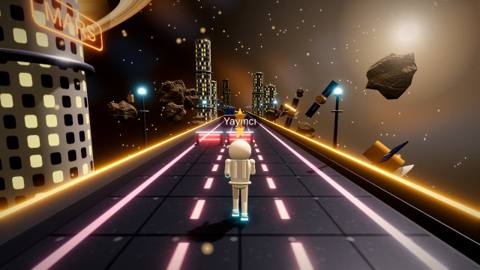 Space RunRun as an astronaut on a metal track floating in the void: switch lanes, jump, slide. From the Moon to Mars, from the…
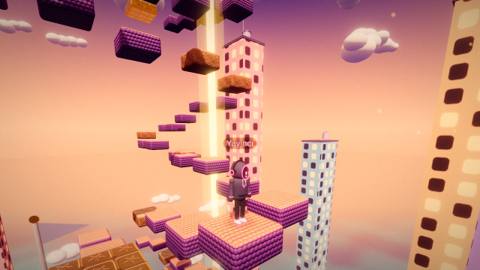 Troll TowerA 3D parkour tower shaped by your viewers' gifts. Shields, elevators, wind, ice rinks, slaps: every gift changes the…
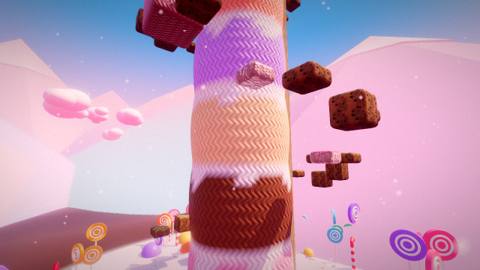 Candy RealmJump across cookies, chocolates and jellies spiraling around a giant cake tower and climb to the cherry on top…
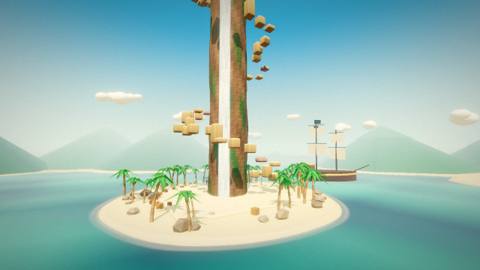 Treasure IslandJump across sand dunes, docks and shipwreck planks spiraling around Captain's Rock in the middle of the sea, grab the…
Chat games: viewers join by typing
Viewers join, answer or vote by typing in chat; gifts change the game too.
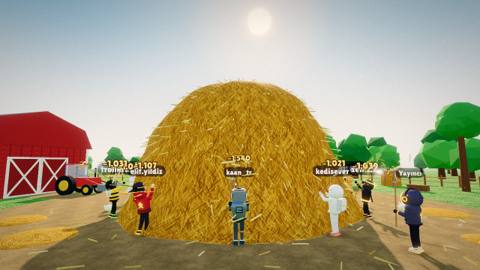 Needle in a HaystackA giant haystack in the middle of the farm: 5,000,000 straws inside and a single needle. Every viewer who types DIG in…
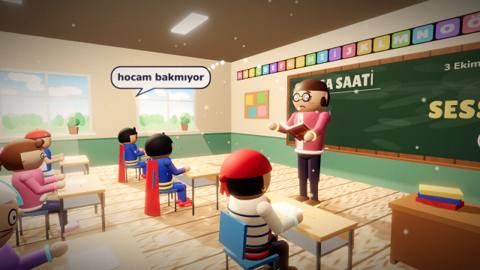 Reading TimeYou're the teacher, the chat is the class. While you read the book, viewers who type are chatting and racking up…
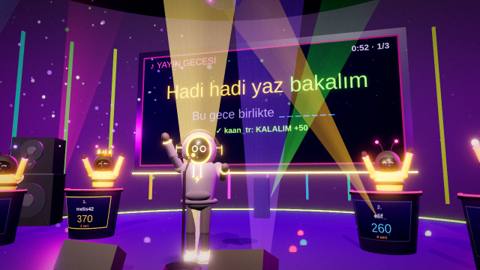 KaraokeYou sing at the mic while the chat picks the song. Lyrics scroll syllable by syllable on a giant screen, and every…
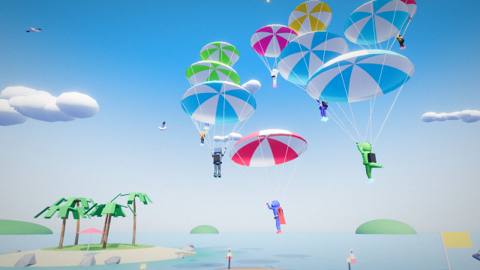 Parachute DropEach round a plane flies over the sea. Viewers who type JUMP in chat leap out with their own characters, open their…
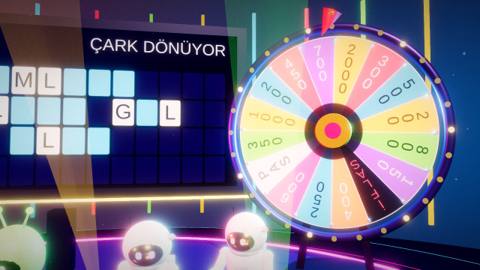 Fortune WheelThe giant wheel spins while a proverb, saying or place hides on the board. When the wheel stops, viewers type a single…
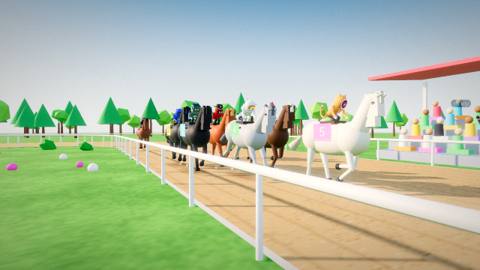 Horse RaceEight horses at the starting gates. A viewer who types a number from 1 to 8 in chat backs that horse and takes a seat…
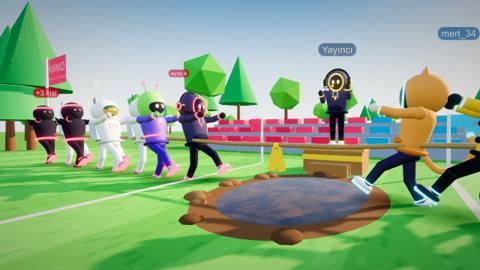 Tug of WarThe chat splits in two: viewers who type RED or BLUE line up on their team's rope with their own characters. When the…
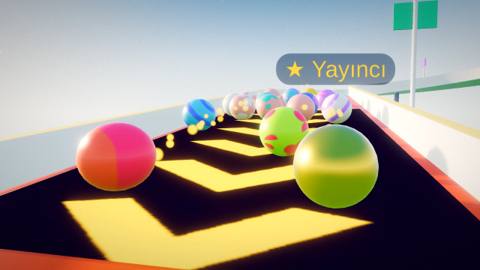 Marble RaceEvery viewer who types JOIN in chat gets their own colorful marble and lines up behind the starting gate. When the…
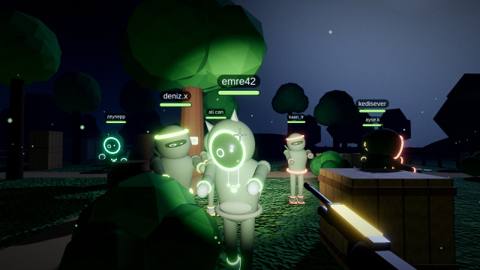 Zombie NightNight, a foggy park, graves all around. Every viewer who types ZOMBIE in chat rises from a grave with their own…
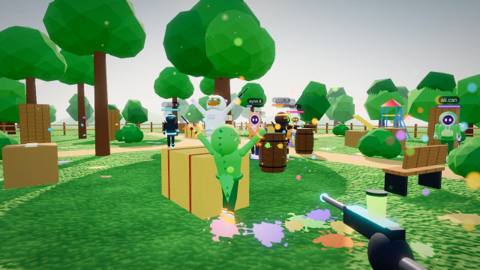 Paint WarPaint gun in hand, the chat in front of you. Every viewer who types ATTACK in chat drops into the park with their own…
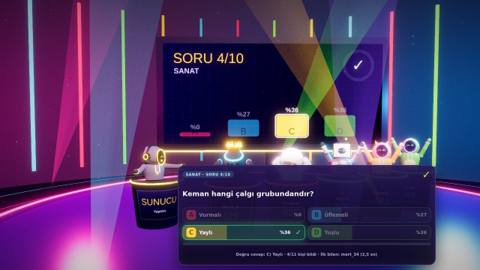 Quiz ShowYou're the host. In a glittering TV studio you read out the questions, and viewers type A, B, C or D in chat. The…
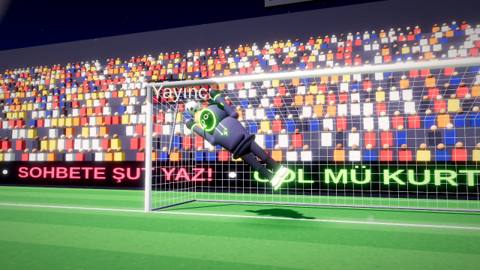 Penalty KingYou're the goalkeeper. Every viewer who types SHOOT in chat joins the queue, and when it's their turn they step up to…
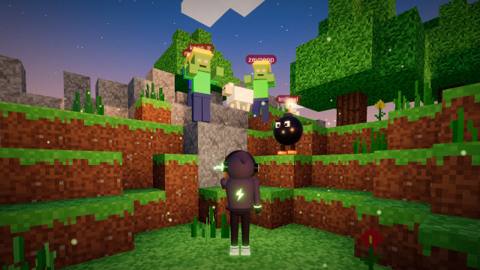 Block IslandA small block island in the middle of the sea. Chop trees, mine stone and ore, and build a shelter by day; when the…
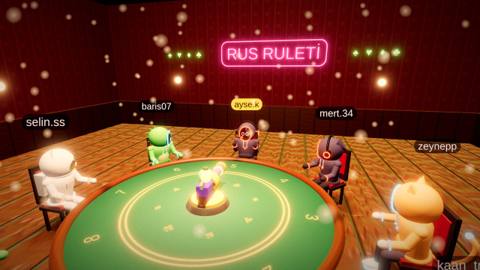 Russian RouletteYour opponents are your viewers: anyone who types JOIN in chat sits down at the round table. The toy slime pistol in…
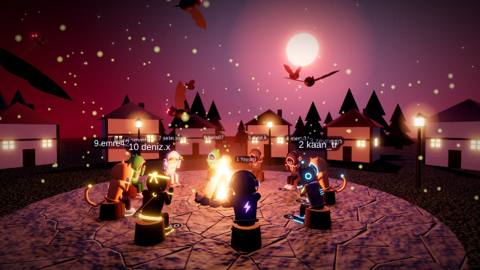 Vampire VillageViewers who type JOIN in chat gather around the fire in the village square at night. One of them secretly becomes the…
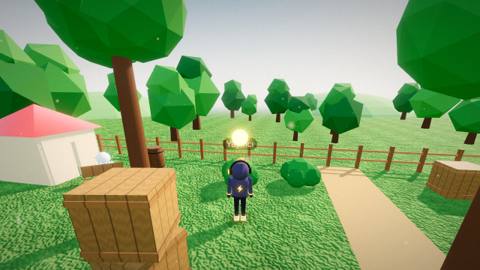 Hide and SeekYou're it. While you face the tree and count, every viewer who types JOIN in chat runs off with their own character…
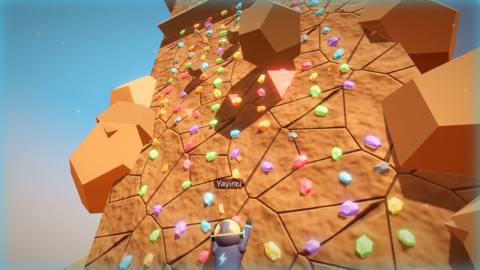 Rock ClimbNo jumping here: climb a sheer rock wall hand over hand on colorful holds. Rocks keep tumbling from the top, so shift…
Streamer editions: WIN counters and ±block parkours
Custom editions made at our streamers' request: WIN counters, ±block gifts and levels you set inside the game.
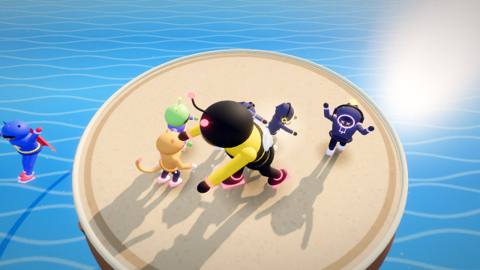 Sumo ArenaA round sumo ring in the middle of the sea. Every viewer who sends a Rose drops into the ring as their own named sumo…
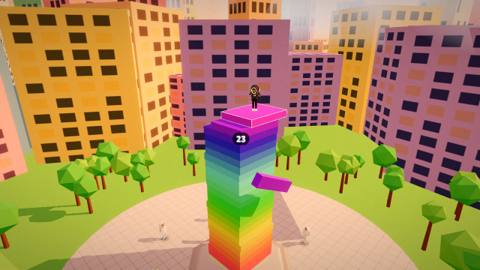 Giant TowerA tower rising into the sky from the heart of the city. Drop the sliding block with Space: the overhang is sliced off…
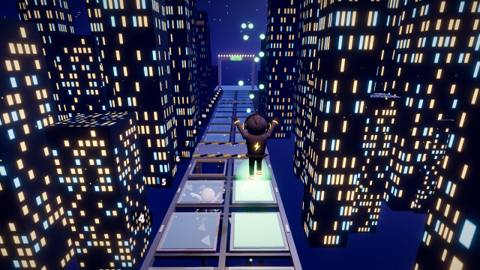 Glass BridgeA glass bridge over a chasm: each row has two panes, one solid, the other shatters the moment you land on it. ← for…
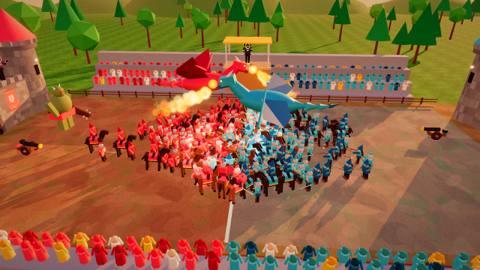 Arena BattleTwo castles face off. Viewers who type RED or BLUE in chat climb onto their castle's walls as their own characters…
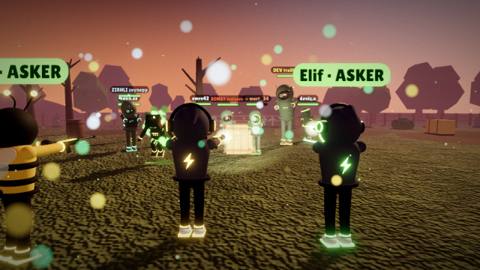 Zombie WastelandA foggy, empty wasteland with zombies closing in from every side. The camera rides over your shoulder, rifle in hand…
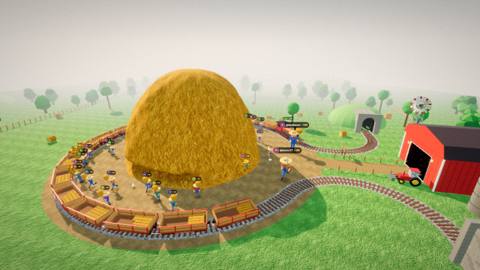 Needle in a Haystack+10,000,000 straws, 1 needle and a train waiting on an Ω-shaped track. Fork up the hay and carry it to the wagons; when…
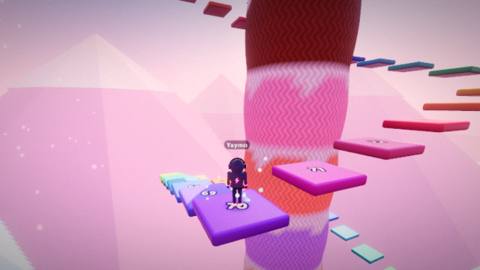 Candy Realm+Numbered, colorful blocks around the cake tower, just like in Roblox: from 50 up to 5,000 steps. Gifts teleport you…
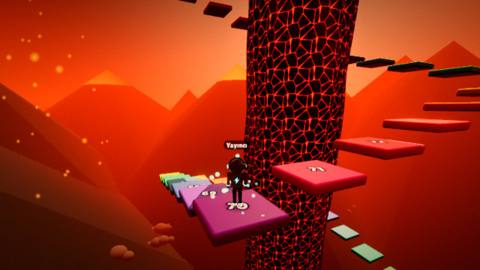 Lava Rising+Climb the numbered blocks around the volcano as lava rises from below: up to 100,000 steps. Gifts teleport you +500…
Live in 3 steps
Open the game
Extract the zip to a folder and double-click OYUNU BASLAT; log in with your store account or type your license key.
Type your TikTok username
Start your TikTok LIVE first, then type your username without the @ in the game and press Connect. Using TikFinity? Press “TikFinity kullanıyorum” (I use TikFinity).
Add it with window capture
Add the game window with window capture in TikTok LIVE Studio or OBS. For a vertical stream, set the screen layout to Vertical 9:16 in the game's panel.
FAQ
What is a TikTok LIVE game?
It's a game that runs on the streamer's computer and connects to their TikTok LIVE. Viewers change the game in real time with gifts, likes, follows, shares and chat comments: they help the streamer or troll them. The streamer puts the game on stream with TikTok LIVE Studio or OBS.
What computer and software do I need?
A Windows computer and an internet connection. The one-click launcher downloads everything it needs on first start, and the game opens full screen in Chrome or Edge. For streaming you use TikTok LIVE Studio or OBS. If a 3D game is too heavy for your computer, lower the graphics quality in the game's panel.
Does it work with TikFinity?
Yes. Open the game while TikFinity is running and press “TikFinity kullanıyorum” (I use TikFinity) when it asks for your TikTok username; the game then takes gifts from TikFinity and its own bridge isn't needed. Without TikFinity, the bridge that comes with the game connects to your stream by itself.
Is setup hard?
No. Extract the zip to a folder, double-click OYUNU BASLAT, log in with your store account or type your license key, then type your TikTok username. Add the game to your stream with window capture in LIVE Studio or OBS. No installs and no coding; if you get stuck, we help on WhatsApp.
What do gifts do in the game?
Every game has its own gift table, shown on its page. What counts is the gift's coin value, not its name: each gift triggers the highest row its value reaches. In Troll Tower, for example, a Rose (1 coin) gives a shield and a Galaxy (1,000 coins) sends the streamer back to the previous checkpoint. Follows, likes and shares change the game too.
How does the license work?
Every game comes with a license key made for you. Add the key to your store account once; when the game opens, you log in with your account and the game updates itself on every start. The key works on a limited number of computers and needs an internet connection for the license check at start. PC and story games are a one-time payment with a lifetime license; for live-stream games the license term is agreed when you buy.
How do I buy?
On the game's page, press “Send a purchase request” and enter your name and number; we call you or message you on WhatsApp. Once payment is agreed, your license key and game package are sent to you.