Quiz Show
TikTok LIVE Quiz Game
TikTok LIVE game · Played on TikTok LIVE with your viewers' gifts. · Send a purchase request for the price
You're the host. In a glittering TV studio you read out the questions, and viewers type A, B, C or D in chat. The fastest correct answer earns the most points, the top five step up to the podiums with their own characters, and after ten questions a champion is crowned.
- TikTok LIVE
- Trivia
- Chat game
- Play with viewers
- 3D
About Quiz Show
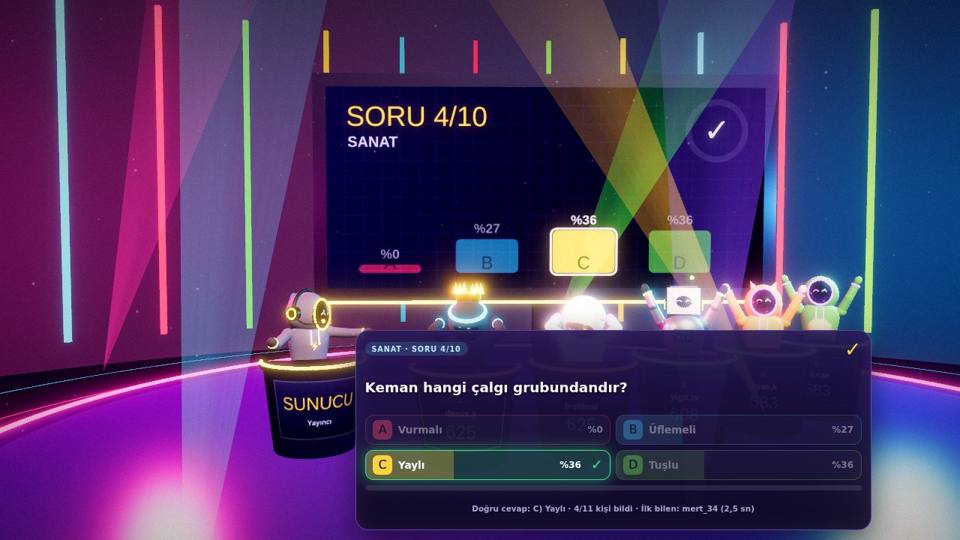
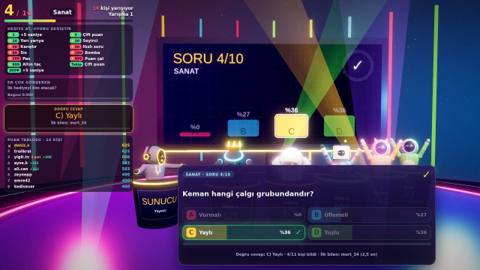
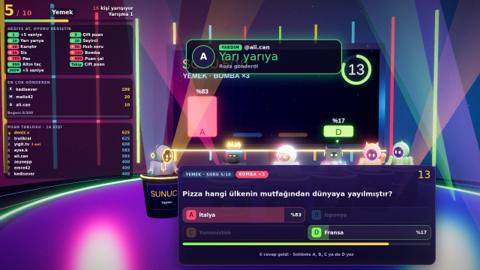
A quiz studio with a giant screen, sweeping spotlights and LED strips. The streamer reads the questions from the host's podium; for each question, viewers type A, B, C or D (or the answer itself) in chat. A correct answer is worth 100 points, more the faster it comes in, with a streak bonus for back-to-back correct answers. The top five contestants step up to the podiums with their own names and costumed characters: they hit the buzzer when they answer, celebrate when they're right, and clutch their heads when they're wrong. The leader wears a golden crown.
The question bank holds more than 200 Turkish-language questions on geography, Turkish license plate codes, history, science, animals, sports, art, food, math and general knowledge; questions already asked don't come back. The streamer can compete too, using the keys, if you like.
Gifts: extra time, double points, 50/50, ask the audience and the golden crown help out; shuffled answers, speed questions, fog, bomb questions, passes and the point thief shake things up. Full-screen PC stream or vertical 9:16, character selection, one-click launcher.
Quiz Show trailer
How to play Quiz Show
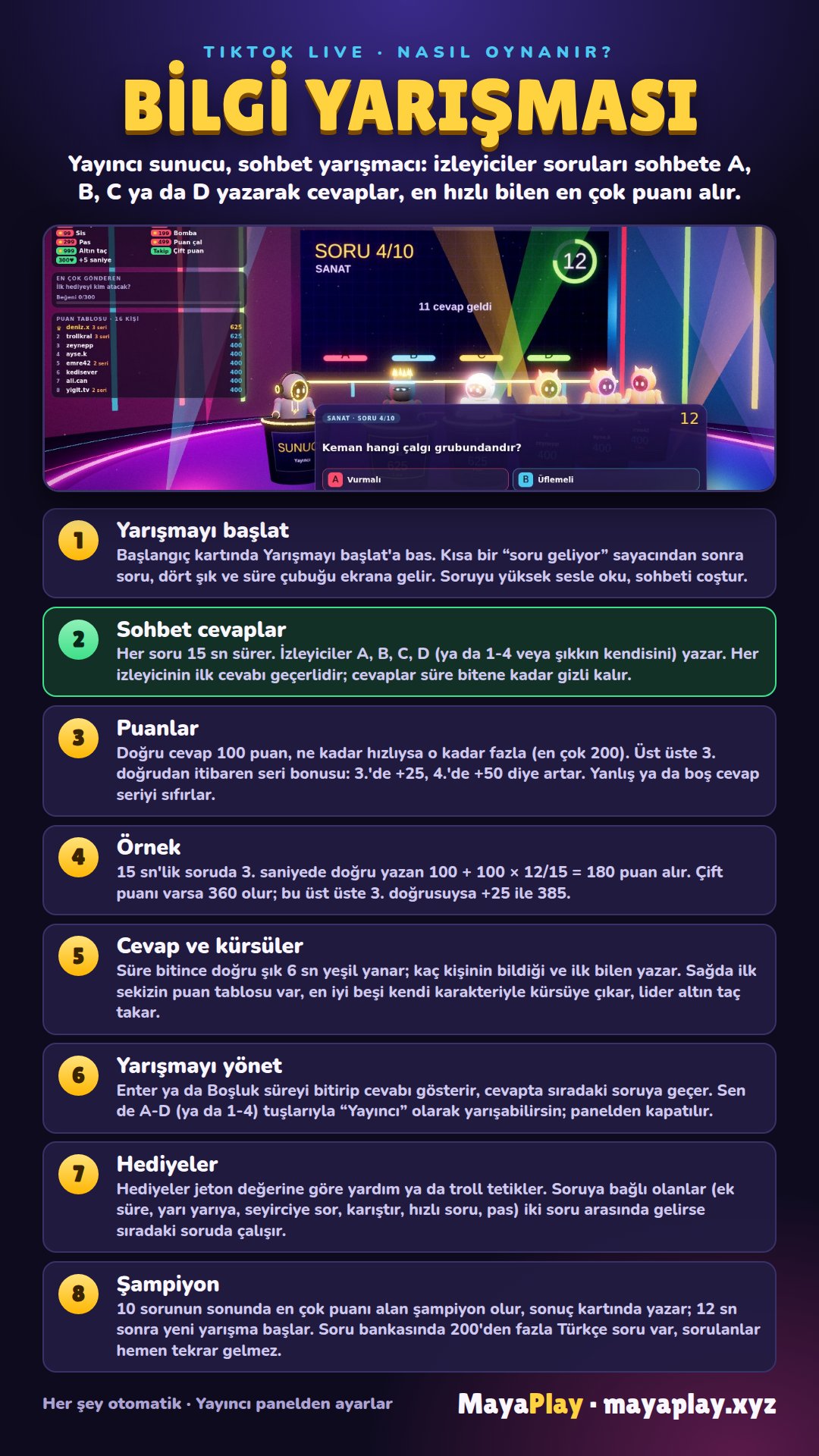
The streamer hosts and the chat competes: viewers answer by typing A, B, C or D, and the fastest correct answer scores the most. The streamer runs the show; after 10 questions the top scorer is crowned champion.
Start the show
Press “Yarışmayı başlat” (Start the show) on the start card. After a short “question coming” countdown, the question, four options and a timer bar appear. Read it out loud and get the chat going.
Chat answers
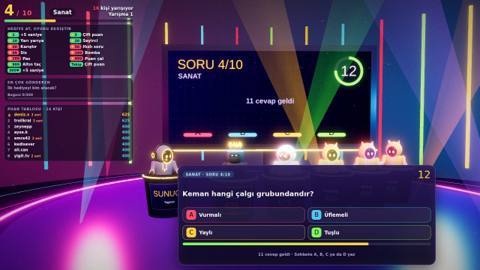
Each question lasts 15 s. Viewers type A, B, C, D (or 1-4, or the option itself). Only each viewer's first answer counts, and answers stay hidden until time runs out.
Points
A correct answer is worth 100 points, more the faster it is (up to 200). From the 3rd correct in a row there's a streak bonus: +25 on the 3rd, +50 on the 4th and so on. A wrong or missed answer resets it.
Example
On a 15 s question, a correct answer at second 3 scores 100 + 100 × 12/15 = 180. With double points it's 360; if it's their 3rd correct in a row, +25 makes 385.
Reveal and podiums
When time's up the right option glows green for 6 s, with how many got it and who was first. The top eight are on the scoreboard; the top five stand at the podiums as their own characters, the leader in a gold crown.
Run the show
Enter or Space ends the timer and reveals the answer, then moves to the next question. You can compete too as “Yayıncı” (Streamer) with the A-D (or 1-4) keys; this can be turned off in the panel.
Gifts
Gifts trigger a help or troll effect by coin value. Question effects (extra time, 50/50, ask the audience, shuffle, speed question, pass) that arrive between questions apply to the next question.
Champion
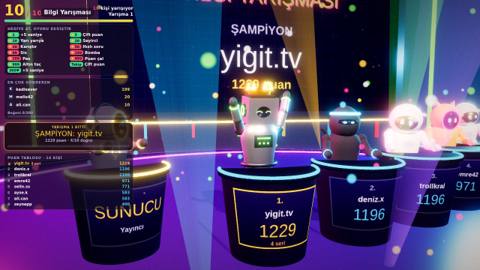
After 10 questions the top scorer is crowned champion on the results card, and a new show starts 12 s later. The bank holds 200+ Turkish-language questions, and recent ones don't come back right away.
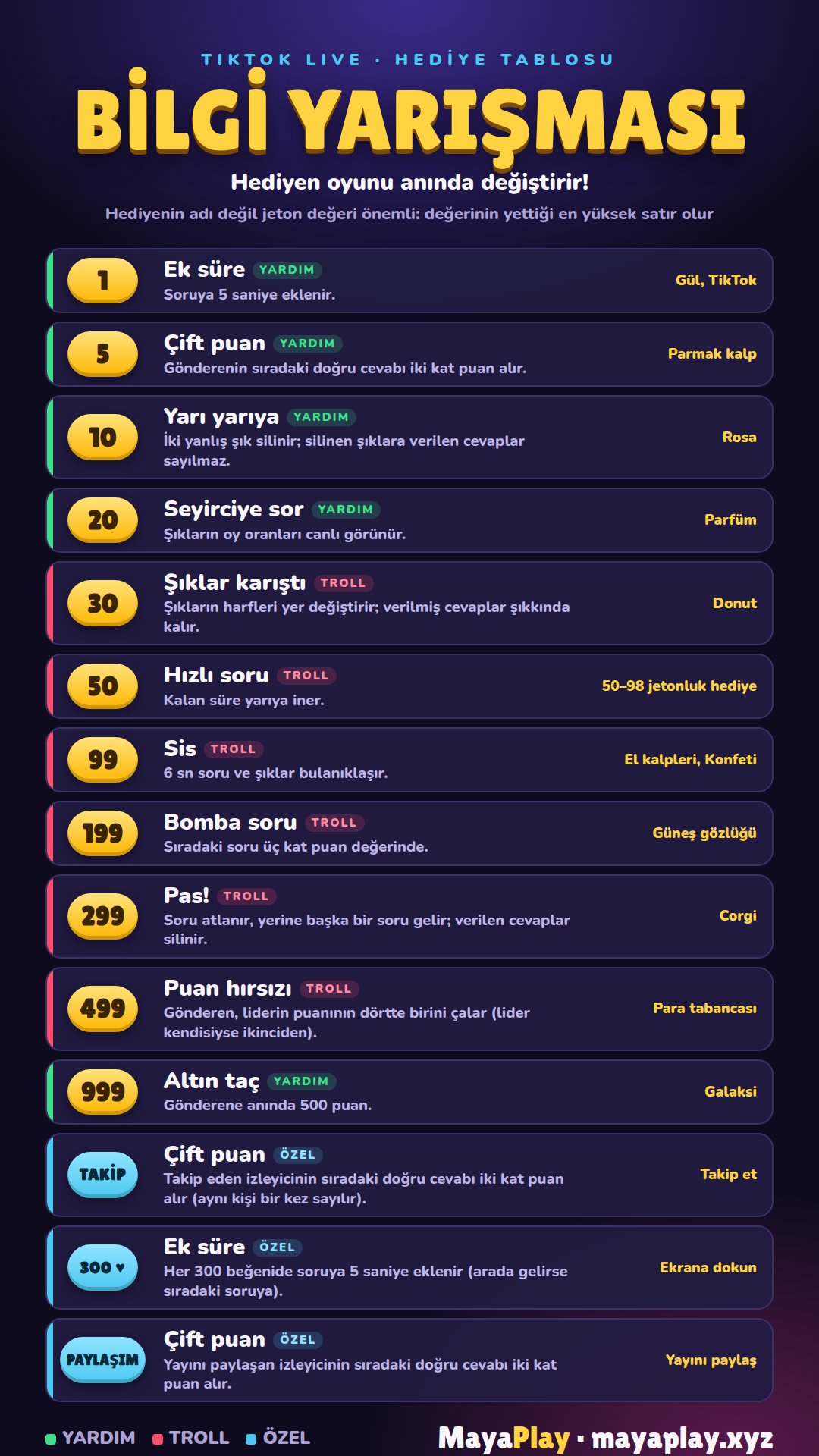
Quiz Show gift table: TikTok gifts and effects
It's the coin value that counts, not the gift's name: each gift triggers the highest row its value reaches. Follows, likes and shares change the game too.
| Coins | Effect | What happens | Example gifts |
|---|---|---|---|
| 1 | Extra time help | Adds 5 seconds to the question. | Rose (1), TikTok (1) |
| 5 | Double points help | The sender's next correct answer scores double. | Finger Heart (5) |
| 10 | 50/50 help | Two wrong options are removed; answers on removed options don't count. | Rosa (10) |
| 20 | Ask the audience help | The vote share for each option shows live. | Perfume (20) |
| 30 | Shuffled options troll | The option letters swap places; answers already given stay with their option. | Doughnut (30) |
| 50 | Speed question troll | The remaining time is cut in half. | Any gift worth 50–98 coins |
| 99 | Fog troll | The question and options blur for 6 s. | Hand Hearts (100), Confetti (100) |
| 199 | Bomb question troll | The next question is worth triple points. | Sunglasses (199) |
| 299 | Pass! troll | The question is skipped and a new one comes in; answers given so far are wiped. | Corgi (299) |
| 499 | Point thief troll | The sender steals a quarter of the leader's points (from second place if the sender leads). | Money Gun (500) |
| 999 | Golden crown help | The sender instantly gets 500 points. | Galaxy (1000) and anything pricier |
| Follow | Double points special | The new follower's next correct answer scores double (each person counts once). | – |
| 300 ♥ | Extra time special | Every 300 likes add 5 seconds to the question (or the next one, if between questions). | – |
| Share | Double points special | The viewer who shares the stream gets double points on their next correct answer. | – |
Download the gift table image (JPG) · Download the how-to-play image (JPG)
Chat commands
A- Answers with option A. B, C and D work the same way; lowercase is fine.
1- Same as A: 1 = A, 2 = B, 3 = C, 4 = D.
cevap B- Typing “cevap”, “şık” or “cevabım” (answer) followed by the letter also works.
Ankara- Typing the option's exact text also counts (e.g. Ankara, 1923). Only answers sent while the question is on screen count.
What the streamer can change
In the panel (press H) you change the host's costume and neon color, screen layout (full screen or vertical 9:16), whether you compete too, whether bots answer when chat is quiet, touch controls, whether the gift menu and top gifters show, sound and graphics quality, and you can test gifts before going live; question count, timers and the gift table come preset.
Screenshots
 Needle in a HaystackTikTok LIVE game
 Reading TimeTikTok LIVE game
 KaraokeTikTok LIVE game
 Parachute DropTikTok LIVE game
 Fortune WheelTikTok LIVE game
 Penalty KingTikTok LIVE game
 Russian RouletteTikTok LIVE game
 Vampire VillageTikTok LIVE game